
EdTech Tools / Gradebook Enhancer for PowerTeacher Pro
Gradebook Enhancer for PowerTeacher Pro
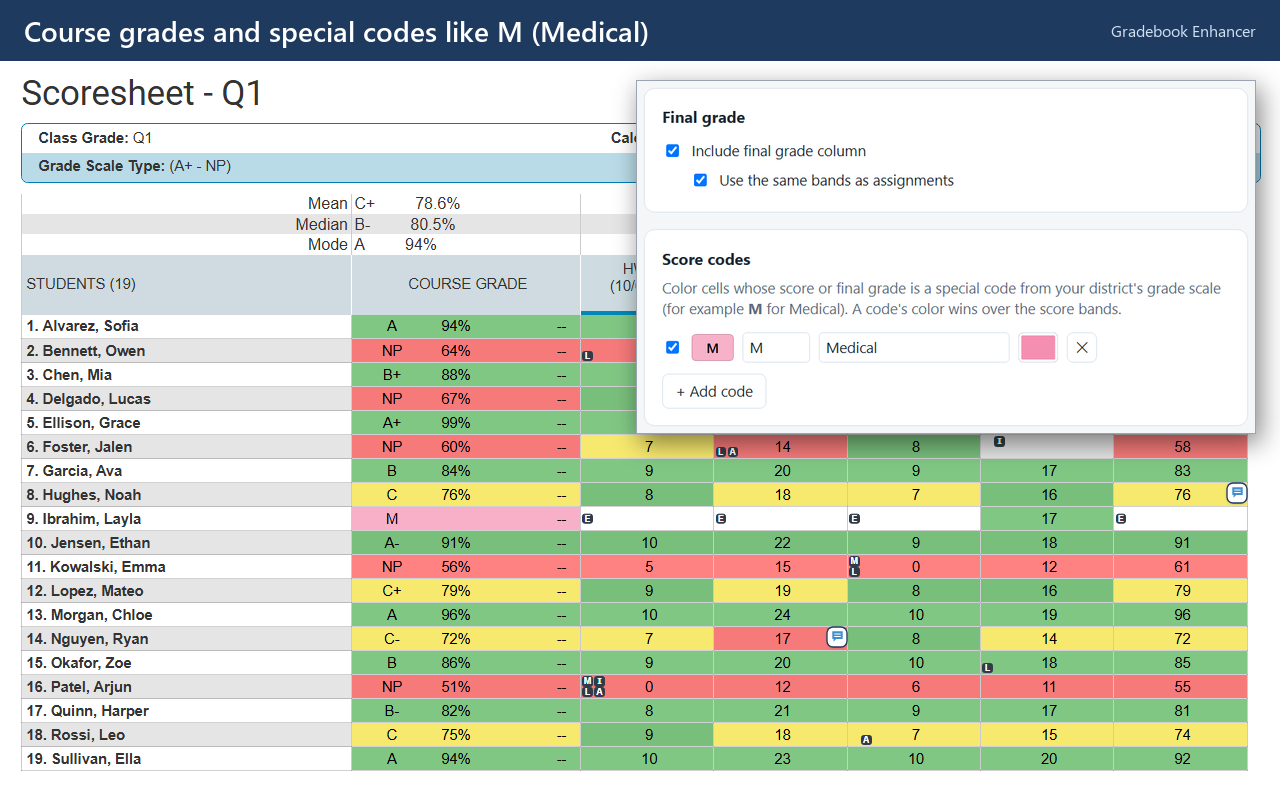
Color-codes the PowerTeacher Pro scoresheet with your own grade bands, so students who need attention stand out at a glance.
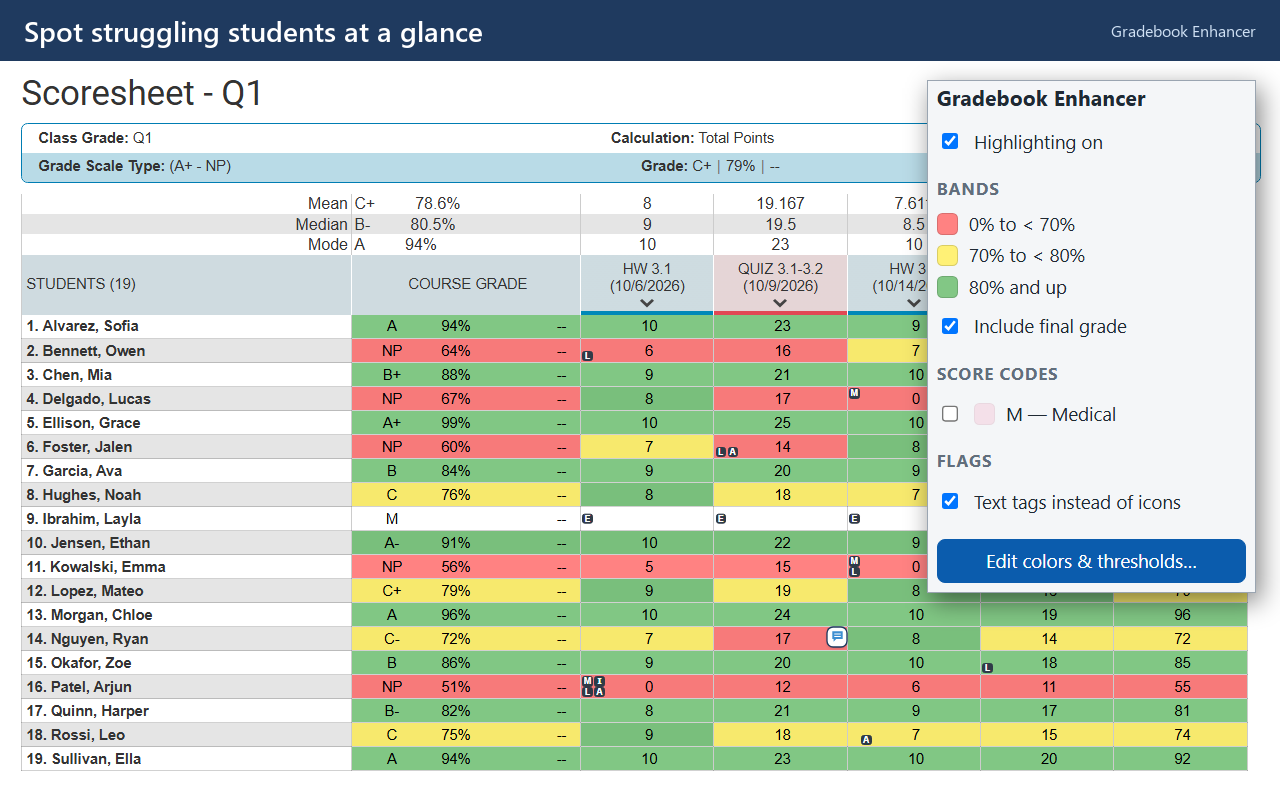
A wall of numbers
The PowerTeacher Pro scoresheet is a dense grid of scores. Spotting which students are slipping means reading every cell, and the tiny colored flag squares for missing or late work are easy to miss.
An earlier open-source version I made used hard-coded red and yellow. Teachers wanted their own cutoffs, so I rebuilt it to be fully customizable and published it for everyone.
See the class at a glance
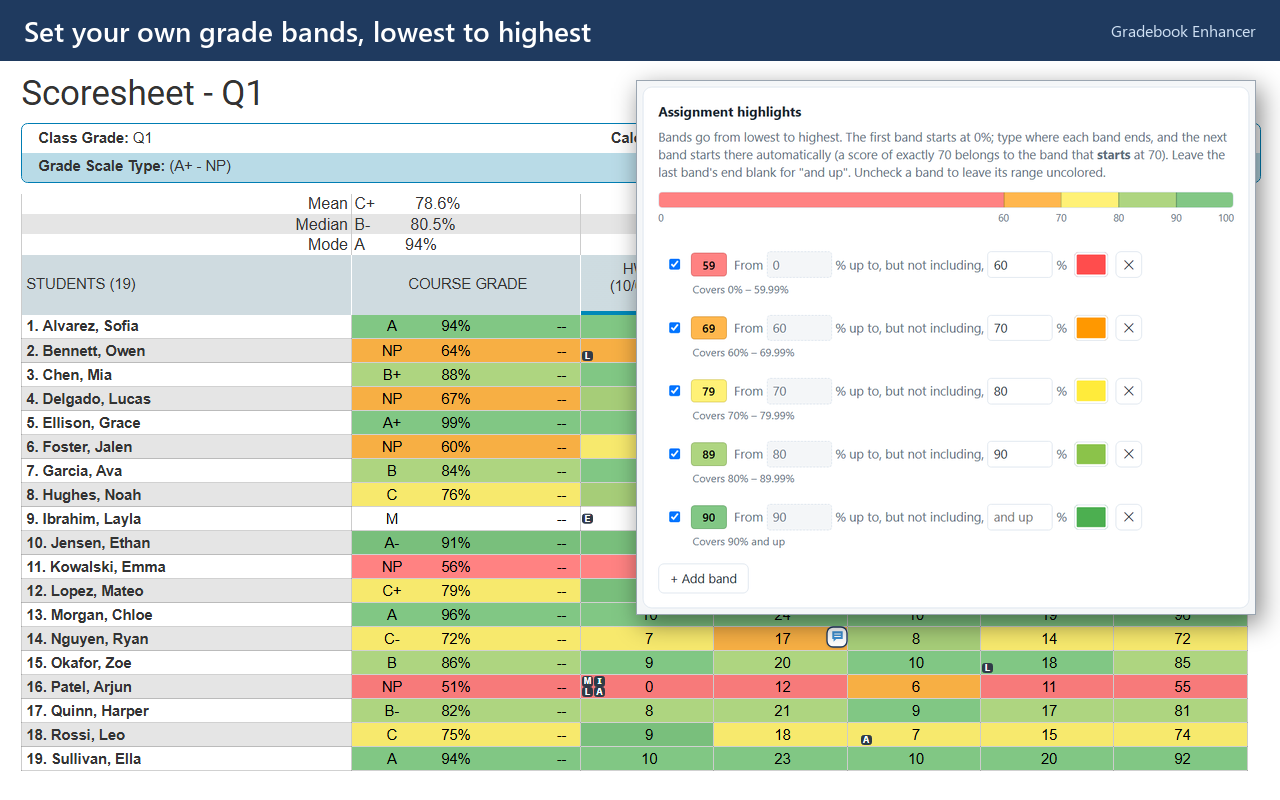
Your own grade bands
Color scores by percentage with bands you choose. Each band starts where the last one ends, so there are no gaps.
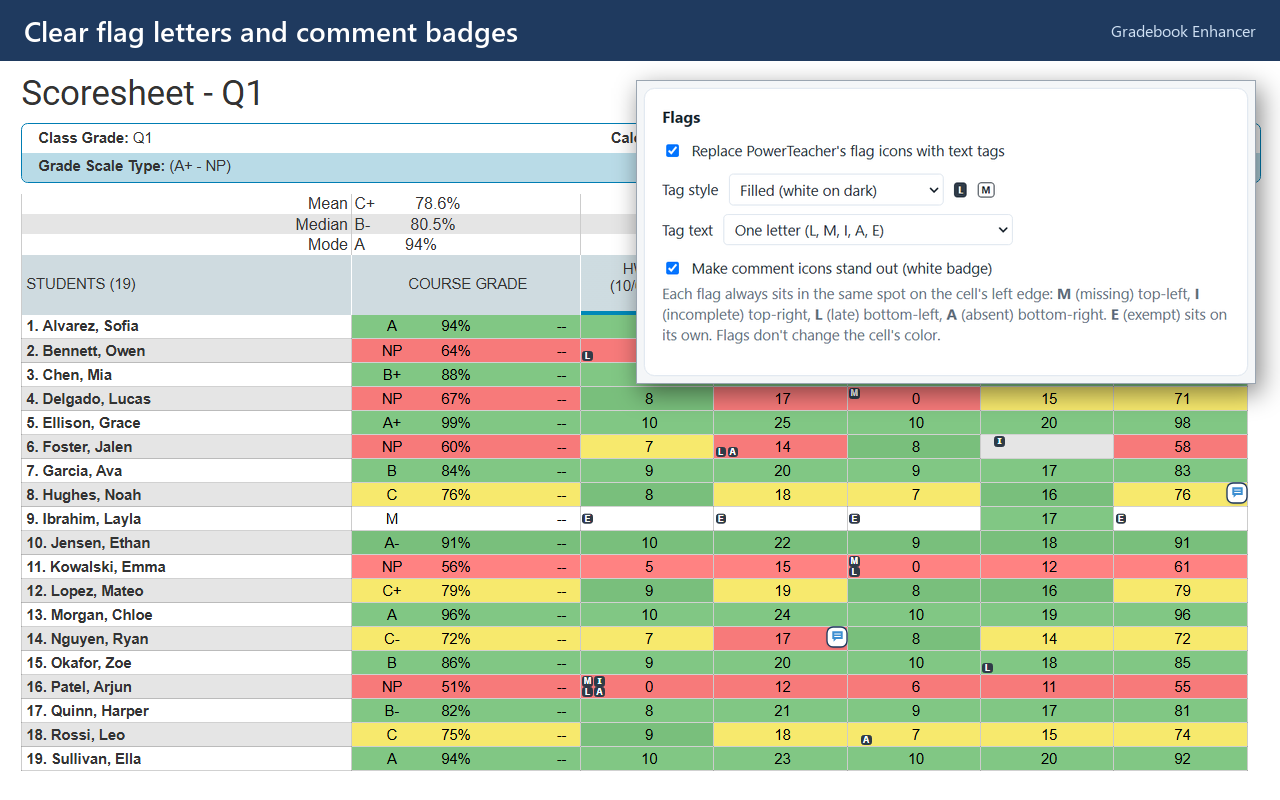
Clear flags and comments
Tiny flag squares become readable letters: M, I, L, A, E. Comments get a badge that shows on any color.
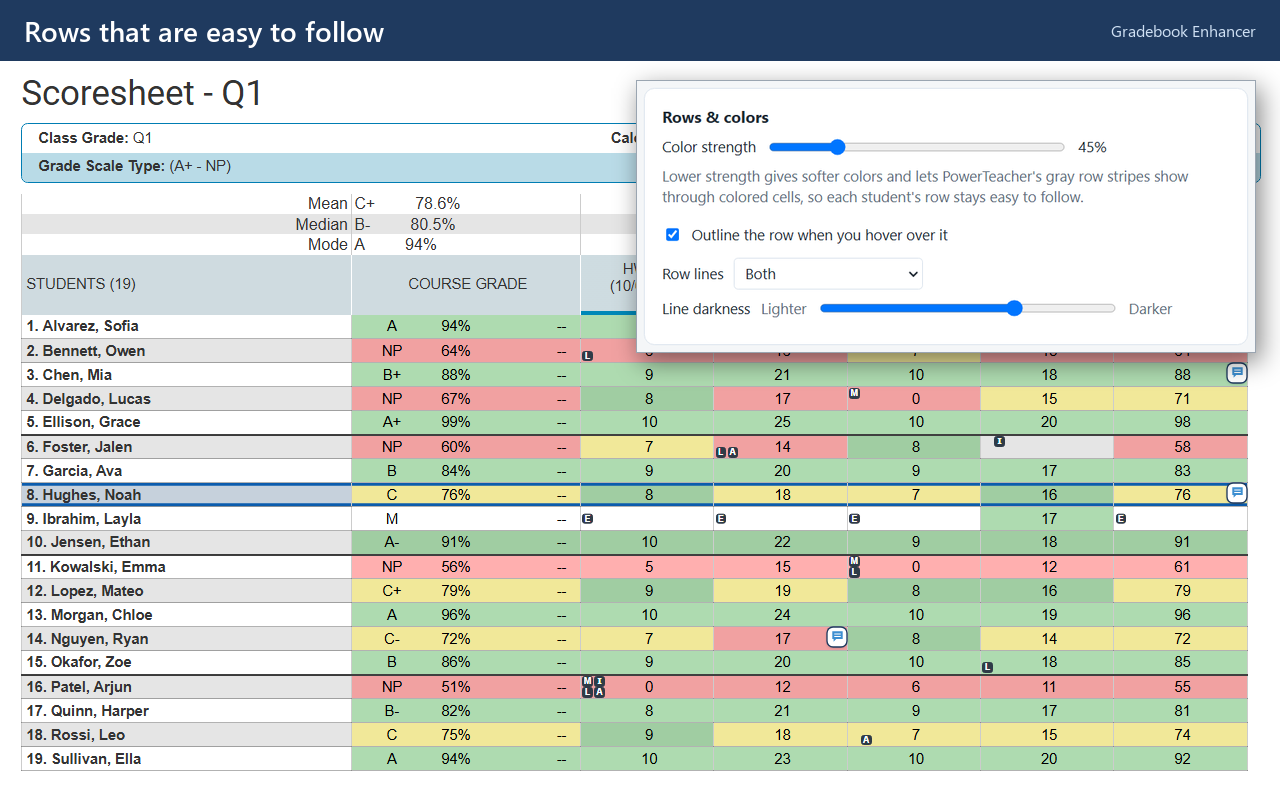
Rows that are easy to follow
Soft, see-through colors keep row stripes visible, with optional row lines and a hover outline.
Everything stays in the browser
A content script reads the scores already on the page and gives each cell a color class. Settings changes show up on the open scoresheet right away, with no reload.
The scoresheet doesn't show points possible, so the extension reads that one number from data PowerTeacher has already loaded. It keeps only assignment IDs and point values and discards everything else immediately.
What was hard
Percentages without points possible
The grid only shows raw scores. Fix: read points possible from data the page already loads, keeping only ID and point pairs, never student details.
Color vs. readability
Bright fills hid PowerTeacher's row stripes. Fix: a color strength slider, plus text that switches between black and white to stay readable.
Passing store review
Extensions touching grades get scrutiny. Fix: one permission, no network requests, no remote code, and a plain-language privacy policy.